
If your smart feeder fails during travel, act quickly by switching to manual feeding using accessible food and bowls. Arrange for a trusted person, neighbor, or friend to feed your pet manually if needed, and guarantee extra supplies are close by with clear instructions. Keep calm, check for power issues or connection problems, and follow your backup plan. For more tips on handling tech failures during trips, continue exploring reliable strategies and resources.
Key Takeaways
- Have a trusted person manually feed your pet and monitor their well-being during the failure.
- Switch to a backup feeder or use manual feeding tools as an immediate solution.
- Check Wi-Fi and power sources, and troubleshoot the device following the manufacturer’s instructions.
- Keep extra pet food and clear instructions for manual feeding accessible and labeled.
- Stay calm, monitor your pet closely, and use emergency supplies until the smart feeder is operational again.

Travel days can be stressful enough without worrying about your smart feeder malfunctioning. When you’re away, the last thing you want is to come home and find your pet’s feeding schedule disrupted because of technical issues. Smart feeders are convenient, but they can sometimes fail unexpectedly. To minimize the impact, it’s vital to have an emergency backup plan in place and know some troubleshooting tips to quickly resolve common problems.
Travel days can be stressful, but having a backup plan ensures your pet stays fed if your smart feeder fails.
First, confirm you’ve set up an emergency backup before you leave. This might mean arranging for a trusted friend, family member, or neighbor to feed your pet manually if your smart feeder stops working. Some feeders allow remote control or manual operation through their app, so verify that you can access these features while away. If not, leaving a stockpile of extra food and clear instructions can be a lifesaver. Label the bag with your pet’s feeding schedule and amount to prevent overfeeding or underfeeding. Having an emergency backup plan provides peace of mind, knowing your pet won’t go hungry if technology fails.
When your smart feeder isn’t functioning correctly, start with troubleshooting tips. Check your Wi-Fi connection first—many smart feeders rely heavily on a stable internet connection. Restart your router if needed, and ensure your phone is connected to the internet as well. Next, verify that the feeder has power; sometimes, power outages or loose cords are the culprits. If the feeder has a display or indicator lights, consult the user manual to interpret any error signals. Resetting the device or performing a factory reset can often resolve glitches, but remember to reconfigure your settings afterward. Additionally, it’s helpful to understand that technology reliability can vary, so staying informed about common issues can streamline troubleshooting. Being aware of potential technical failures allows for quicker identification and resolution of problems. Regularly checking for software updates can also prevent many malfunctions before they occur. Recognizing the importance of proper maintenance can extend the lifespan and dependability of your device.
If the issue persists, consult the manufacturer’s support resources—online FAQs, troubleshooting guides, or customer service. Many brands provide step-by-step solutions for common problems. If the problem is software-related, updating the firmware or app can fix bugs that cause malfunctions. Always keep your app and device firmware current to prevent recurring issues.
Finally, if troubleshooting doesn’t work, consider temporarily switching to manual feeding. Keep the food accessible in a bowl, so your pet doesn’t miss meals while you resolve the tech problem. Also, consider having a backup feeder or a portable feeding device ready for emergencies. Preparing in advance and staying calm during technical hiccups ensures your pet stays fed and safe, even when technology lets you down. With a little planning and quick troubleshooting, you can handle smart feeder failures confidently during your travels.

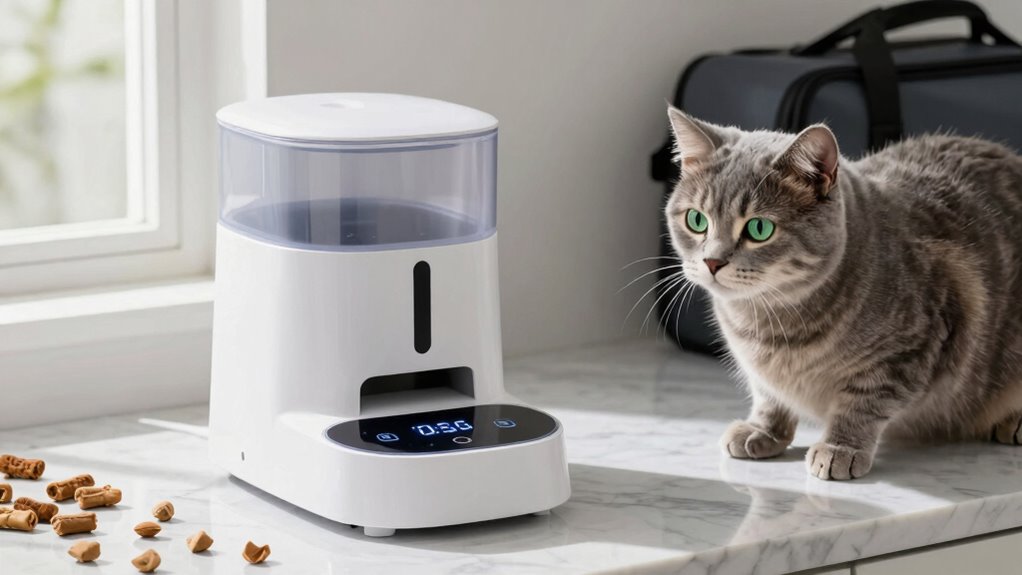
ANDOLL HOME Automatic Cat Feeder, 4L Cat Food Dispenser with 10s Voice Recorder, Pet Feeder up to 8 Meals per Day, Timed Dog Feeder with Dry Food Sealed Ring
- Smooth and blockage-free feeding: Ensures even food distribution without jams
- Customizable voice alerts: Record 10s message to call your pet
- Automatic voice playback: Plays recorded message 3 times at feeding time
As an affiliate, we earn on qualifying purchases.
As an affiliate, we earn on qualifying purchases.
Frequently Asked Questions
How Can I Prevent Smart Feeders From Failing During Trips?
To prevent smart feeders from failing during trips, you should regularly check and maintain the device to guarantee pet safety. Keep the feeder clean, update its software, and refill it on schedule. Test the system beforehand to catch any issues early. Also, consider having a backup plan, like a manual feeder or a trusted neighbor, to ensure your pet’s safety if the device malfunctions. Proper device maintenance is key.
What Backup Options Exist if My Smart Feeder Stops Working?
If your smart feeder stops working, you can rely on alternative feeding methods like manual feeding or using a traditional bowl and scoop. Keep a pet care contingency plan in place by assigning a trusted friend or neighbor to feed your pet if needed. Additionally, consider keeping backup supplies of pet food nearby, so you’re prepared to step in quickly and make sure your pet stays nourished during any technical hiccups.
How Often Should I Test My Smart Feeder Before Traveling?
You should test your smart feeder at least a week before traveling to guarantee it aligns with your feeding schedule and functions properly. Regular device maintenance, like cleaning and checking for blockages, helps prevent failures during your absence. Conduct multiple tests to confirm consistent dispensing. This proactive approach ensures your pet stays on schedule and reduces the chances of unforeseen issues while you’re away.
Can I Manually Feed My Pet if the Smart Feeder Fails?
When your smart feeder stalls, think of manual feeding as a lifeline, a steady hand guiding your pet through unexpected storms. Yes, you can manually feed your pet using emergency supplies—like a scoop or portion control container. Keep these supplies accessible and ready to use, ensuring your pet stays nourished and calm, even when technology falters. This simple act restores your pet’s sense of security amidst the chaos.
Are There Signs Indicating My Smart Feeder Is About to Fail?
Yes, signs like inconsistent dispensing, strange noises, or a blinking indicator can indicate your smart feeder is about to fail. Regular feeder maintenance, such as cleaning and checking for obstructions, helps prevent issues. Keep an eye on the battery lifespan, too, as a low battery can cause malfunction. Monitoring these signs allows you to address problems early, ensuring your pet gets fed even if the feeder needs repairs.
Conclusion
When smart feeders fail during travel days, stay calm, stay prepared, and stay proactive. Remember, your pet’s well-being depends on your quick thinking, your resourcefulness, and your commitment. Trust your instincts, rely on your backup plans, and keep your pet’s comfort at the forefront. Because in those moments of uncertainty, your love and dedication shine brightest—protecting, caring for, and ensuring your pet’s happiness, no matter what challenges come your way.